UEFI Firmware Tools
Extract, edit, merge and split every region of a UEFI image.
Drag a BIOS dump or an OEM update into BiosCreator and get a clean, flashable image back — ME repaired, EC extracted, EFI lock reset. No hex editors, no guesswork.
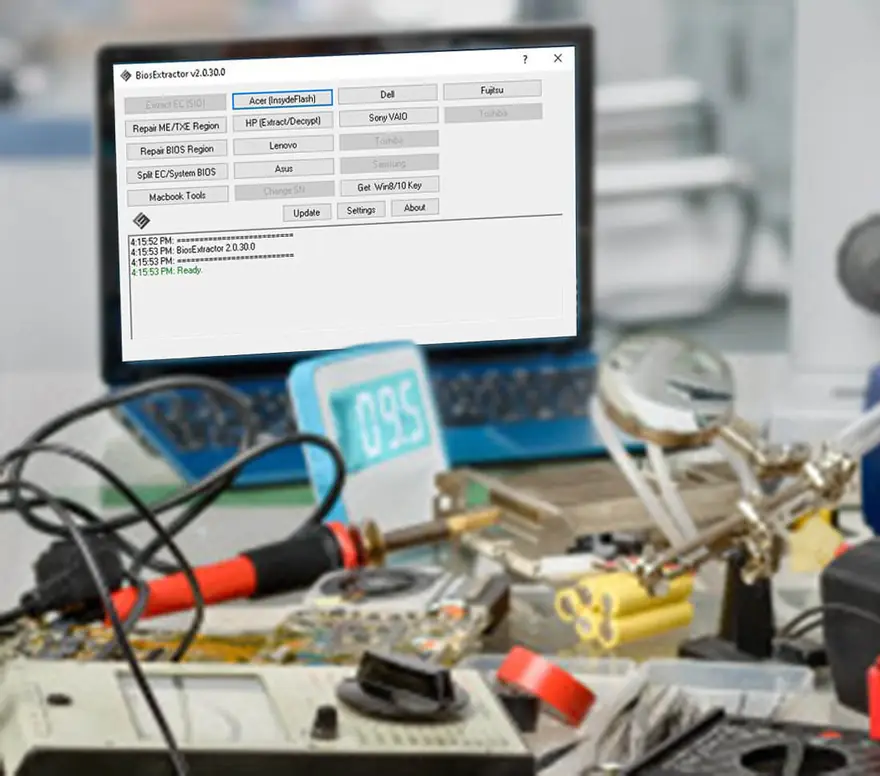
This is a real session from the BiosCreator user guide: a Dell 13 dump with a corrupted ME region, repaired and saved.
Drag the .bin onto the ME/TXE Region tool.
Family, version, SKU and platform are detected automatically.
Choose the matching clean ME and save a flashable image.
Stop juggling a dozen utilities. BiosCreator brings the firmware tools you use every day into a single application.
Extract, edit, merge and split every region of a UEFI image.
Everyday fixes for EC, MacBook, Chromebook and SPI chip work.
Turn manufacturer BIOS update utilities into clean, flashable stock firmware.
Generate master passwords to unlock corporate laptops.
Read and restore Desktop Management Interface data on HP systems.
Fetch software, drivers and BIOS updates straight from OEM sources.
* USB Edition only. Compare every feature by edition →
BiosCreator maps a UEFI image into its regions so you can repair or replace just the part that's broken and leave the rest untouched.
Flash descriptor · Management Engine · System BIOS · Embedded controller · Gigabit Ethernet
Lifetime licenseBiosCreator comes from the LeakyMosfet repair and training team. Stuck on a board? Real technicians answer on Discord and Messenger.
Every plan includes a lifetime license and 1 year of free updates and support.
Prices from the LeakyMosfet Philippines store.
Portable — carry your full toolkit to any bench.
Only sold in the Philippines store. International buyers get the USB Edition.
Installed on one PC — the essentials.
Already a customer? PC → USB upgrade ₱2,500 · 1-year support renewal ₱2,500
All major credit cards and PayPal accepted. Need an SPI programmer? Bundles with a CH341 programmer are in the Philippines store.
One of the laptops I repaired had auto-on and no display issues. It was solved with the stock EC firmware I created. My laptop repair was made easier because of BiosCreator.
I quickly fixed the on/off display using the BIN file in BiosCreator. LeakyMosfet training, the forum and BiosCreator were all very helpful to me as a laptop technician.
The Lenovo IdeaPad had no display. It was fixed by disabling RAM in BiosCreator.
BiosCreator helped me create stock firmware for my Lenovo IdeaPad D330-10IGM and it works!
Another success story — Chromebook enrollment removal using BiosCreator.
I successfully unlocked the Chromebook using BiosCreator.
No power — fixed with the help of BiosCreator.
Both create stock firmware and repair ME, BIOS, FD and EC regions, with a lifetime licence for one user and 1 year of updates. The USB Edition is portable, so you can carry it to any bench, and it adds Disable RAM, the NVRAM tool, corporate laptop password unlock (Lenovo ThinkPad, HP EliteBook, Dell Latitude, Surface) and corporate DMI tools. If you don't need those, the PC Edition is enough.
They are the two LeakyMosfet store listings for the same BiosCreator version. Buyers in the Philippines use the Philippines store, which sells both the PC and USB Edition. Buyers in every other country use the International store, which sells the USB Edition. Prices differ between the two; use the switch in Pricing to see yours.
Pick your edition in Pricing and check out in the LeakyMosfet store. Install BiosCreator (the trial installer works) and find your Hardware ID in the c:\BiosCreator folder. Send your order number, name, company, mobile number, email and Hardware ID on Messenger. You'll get a license.dat file or an activation link by email.
All major credit cards and PayPal. Prices are in Philippine pesos; international buyers see the amount converted to their own currency at checkout.
Yes. Download the free trial and test it on your own boards before you buy.
No, all sales are final, so please try the free trial first to make sure BiosCreator fits your work.
Yes. You keep using your version forever. The first year includes free upgrades to new versions. After that the software keeps working; renew the 1-year support subscription (₱2,500) when you want the latest version again.
The licence is locked to one computer's Hardware ID. To move it to a new PC, buy the 1-year support subscription renewal (₱2,500) and request a new licence.
Yes. Buy the PC → USB Edition upgrade (₱2,500) and you keep everything you have, plus the USB-only tools.
v2.0 registration is no longer supported. Buy the upgrade to the current version, then register it as above.
A Windows 7 or Windows 10 PC (32- or 64-bit) with .NET Framework 4.8, the Microsoft Visual C++ 2013 runtime and Microsoft WebView2. You also need an SPI programmer to read and write the BIOS chip; BiosCreator edits the files. Bundles with a CH341 programmer are available.
Stock firmware works for Acer, HP, Lenovo, Dell, Asus, Toshiba, Samsung (limited), Apple, Sony, Fujitsu, LG, MSI, ECS, Razer, Gigabyte and ASRock, plus updates from the Microsoft Update Catalog. For some Asus and Dell models you also need a backup dump of the original chip.
ME cleaning supports up to CSE/ME 10 and TXE 1–2. CSE 11 and newer, TXE 3–4 and MacBooks from 2018 on aren't supported yet. For those, build brand-specific stock firmware instead. The user guide explains what to do when ME cleaning fails.
Yes: it removes the EFI lock on MacBooks from 2018 or earlier, decrypts the EFI password on 2011 and earlier, updates serial numbers, and repairs Mac firmware dumps.
Ask in our Discord community, message us on Facebook Messenger, or email [email protected]. The user guide has step-by-step guides with recordings, and the chat button on this page answers the common questions any time. (The old support forum has closed.)
Join technicians who fix no-power, no-display and locked-firmware boards faster with BiosCreator.
Get BiosCreator now